Compatible with Chrome and Edge
Instruction Guide
We have a simple tutorial guide which explains the features of the software extension and what each button inside the extension does. Read our tutorial and welcome guide on how to use the extension to the fullest. Use all the features of this browser software.
If you are interested in other web extensions to install, you might wish to check out the Microsoft Bing Search with Rewards extension.
Microsoft Bing Search with Rewards Extension
It allows you to complete daily offers to get points.
Track the number of points you have currently and the rewards you can redeem with these points.
The ways to get points & get rewarded is search with Bing, browse with Microsoft Edge and shop at the Microsoft and Windows stores to earn rewards.
Sponsored Link:
Other useful extensions
Another extension which would be useful to install is the iCloud bookmarks extension.
It allows to keep your Chrome bookmarks on Windows synced up with the Safari bookmarks on your iPhone, iPad, and Mac.
iCloud will store your website bookmarks so it is accessible even on your iPhone and Mac.
Try these other two extensions and see if it will boost your daily productivity.
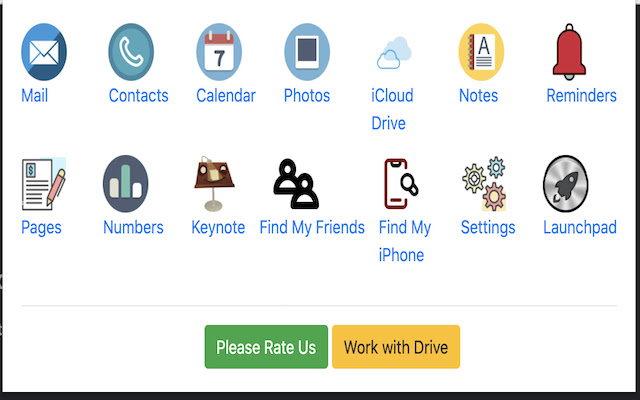
Access all of your favorite apps while you're surfing the Internet. This dashboard is simple in design and grants you access to iCloud no matter where you are. Try installing our extension today and access your iCloud dashboard with one click.
This extension is useful for consumers who buy Apple products as you can have instant access to the various different Apple services with the click of a button.
Features:
✔️ Simple and Fast
✔️ Access iCloud from your browser
What is iCloud?
iCloud is a cloud storage service from Apple that offers a variety of data storage, file management and backup services for users. It allows users to wirelessly sync and share their photos, documents and other files across computers, iOS devices and Macs.
The service also provides music streaming to Apple Music subscribers, as well as the iTunes Match service for full-track music downloads.
iCloud is available on PCs, Macs, iOS devices (such as iPhones, iPads and iPods) and Android devices. With iCloud, you can automatically upload your photos to the Cloud so they're accessible from any device where you're signed in with your Apple ID. You can share photos or videos with friends or family members using the iCloud Photo Sharing feature.
There are also several apps you can use with iCloud:
iCloud Drive: A file storage app that lets you store files in the Cloud and access them on any compatible device (iOS devices only). You can also use it to create folders for organizing files into groups; this makes it easy to find specific files when needed.
iTunes Match: This app allows you to store your music collection in the Cloud so it's available anytime and anywhere. You can listen to music from your computer or from any device connected to the internet — even if you don't own the song files yourself!
Tutorial:
- Install the Extension
-
After installing the extension, click on the icon
 on the toolbar.
Sponsored Link: